👤 User Management Module (UMM)
Introduction
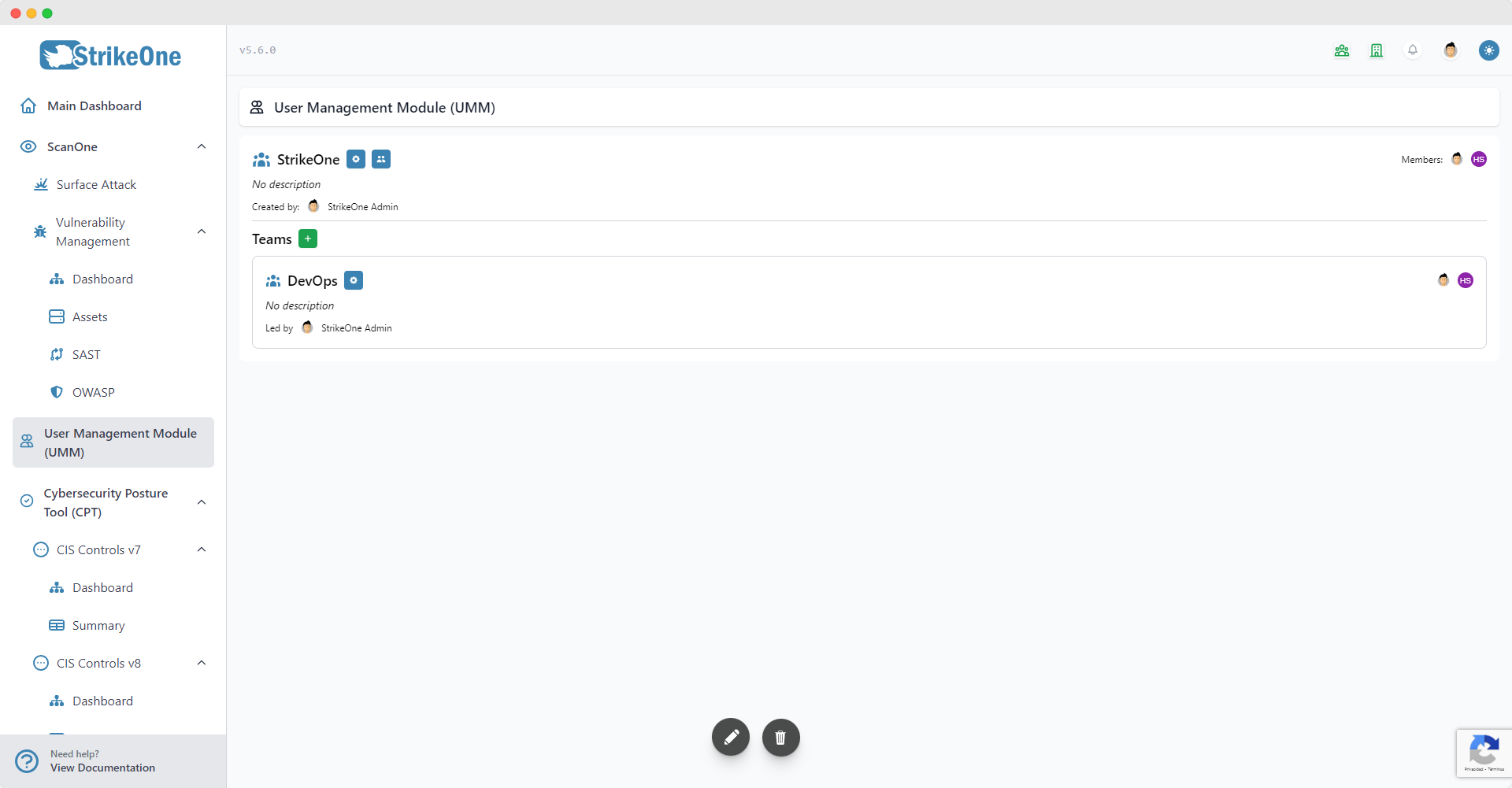
The User Management Module (UMM) allows users to create and manage organizations which expand the platform with a permissions system, teams, organization-wide configurations and even share modules and submodules between the organization's owner and its members. The User Management Module's dashboard lets organization owners and any member that has enabled the User Management Module gain access to the organization's overview.
Most views contained within the organization's dashboard are restricted depending on a user's current permissions. In other words, organization owners will have to assign the appropiate permissions to each member if they want to allow them to gain administrator rights, being able to manage members and access certain module functionalities and more.
TIP
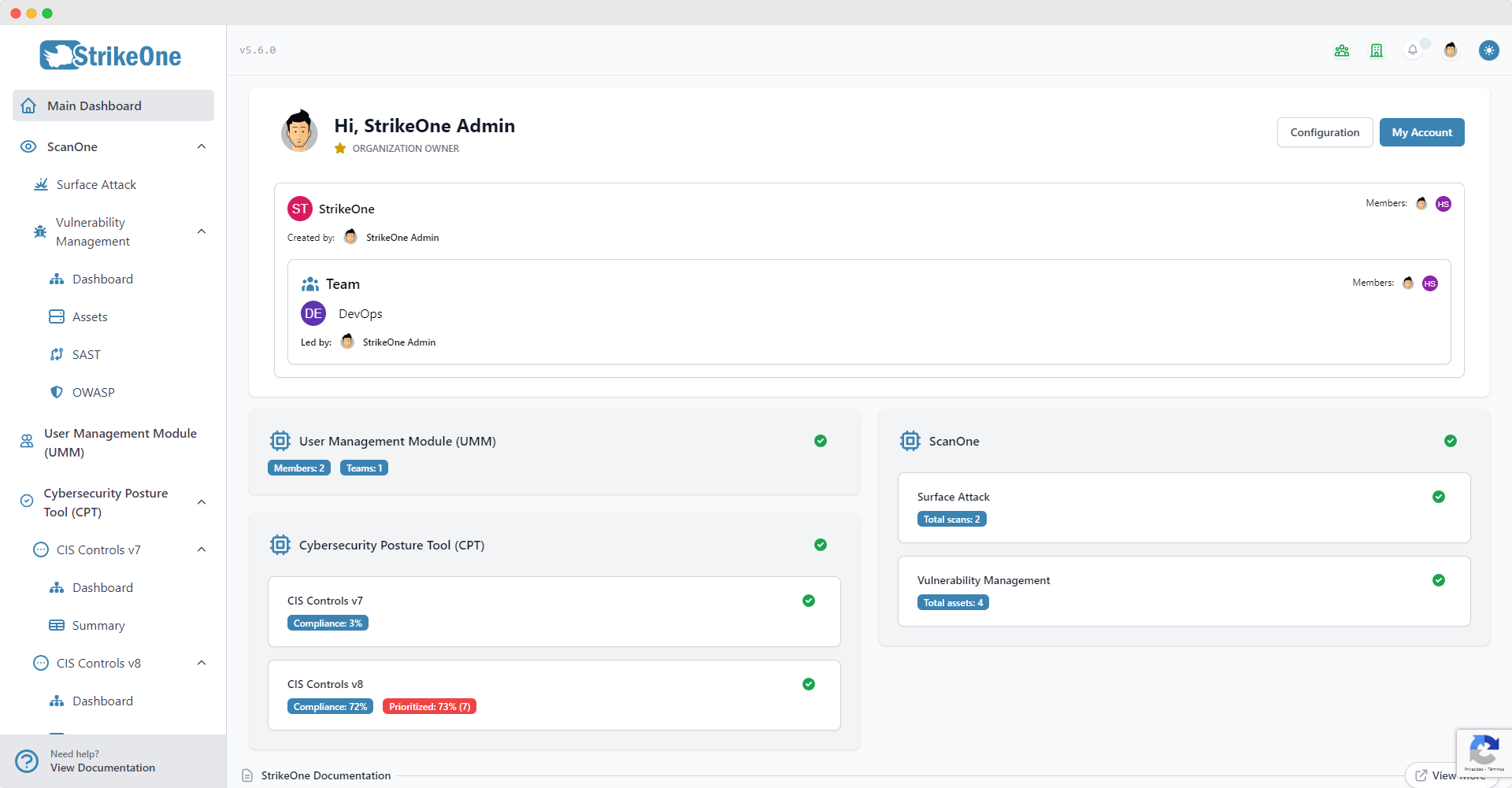
Your organization's overview is also shown in the Main Dashboard, this allows members that haven't enabled the User Management Module to view their organization and assigned team. Additionally, two information popups will appear on a user's navigation bar if they're organization members and/or if they're team members.
Configuration
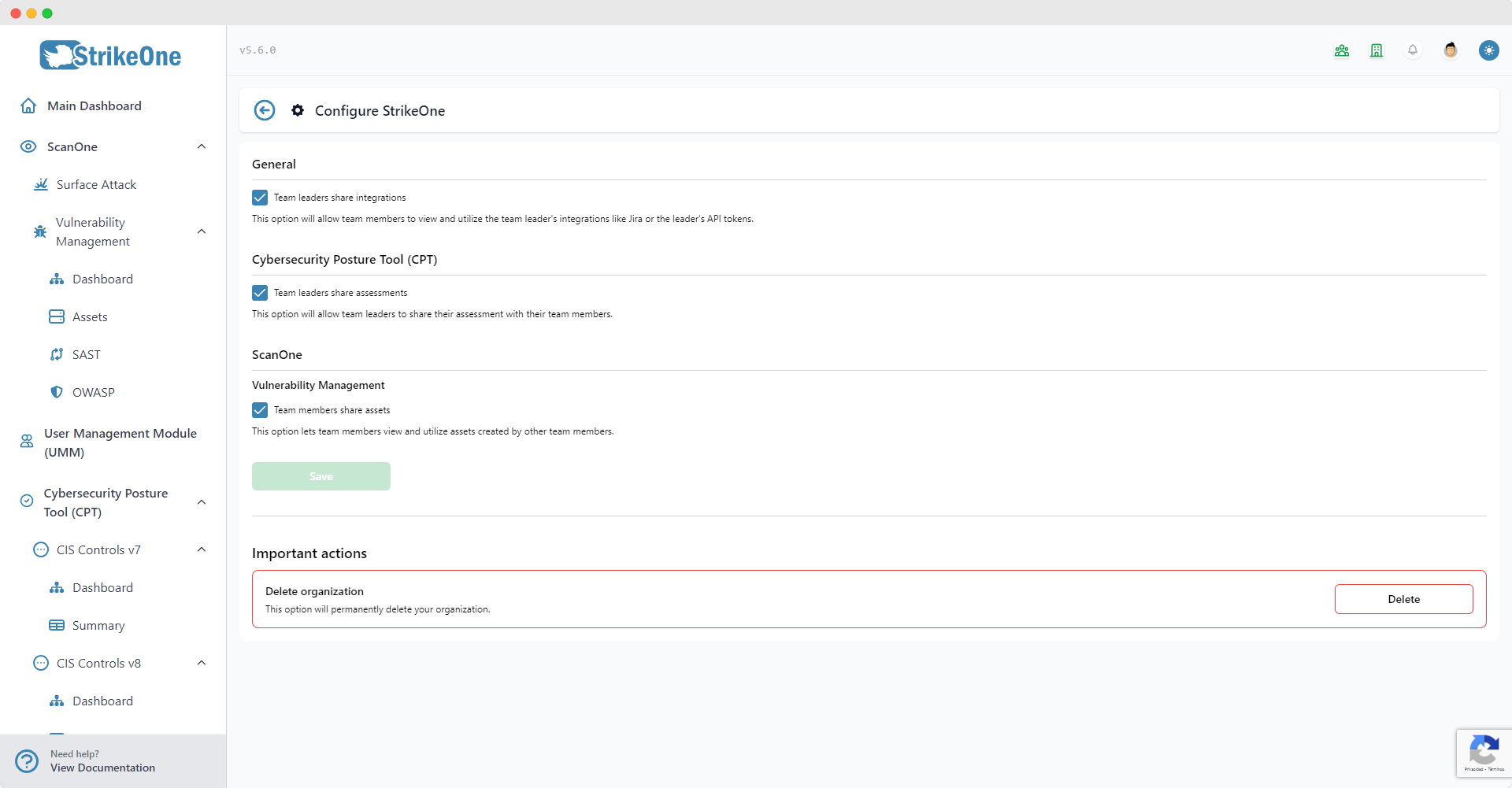
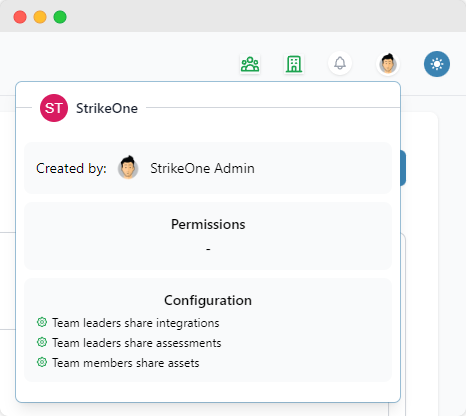
Your organization's configuration defines the behavior of certain functionalities, affecting all organization members. It's possible to share integrations, assessments and assets between team members and team leaders, for example. Accessing this view requires administrator or owner permissions.
IMPORTANT
Changing your organization's configuration will redirect you and any organization member that's currently on StrikeOne to the Main Dashboard. Keep this in mind in case there's other organization members currently using the platform.
ABOUT SHARING ASSESSMENTS
If team leaders are sharing their Cybersecurity Posture Tool (CPT) assessments with their team members, and a team member has access to a submodule that isn't present in the assessment, the submodule will appear as disabled. For example, if a team leader doesn't have CIS V8 enabled but one of the team's members does, then that team member won't be able to use CIS V8 while the assessment is being shared.
Also, enabling a Cybersecurity Posture Tool (CPT) submodule using the User Management Module won't add that submodule to the member's assessments.
Members
Introduction
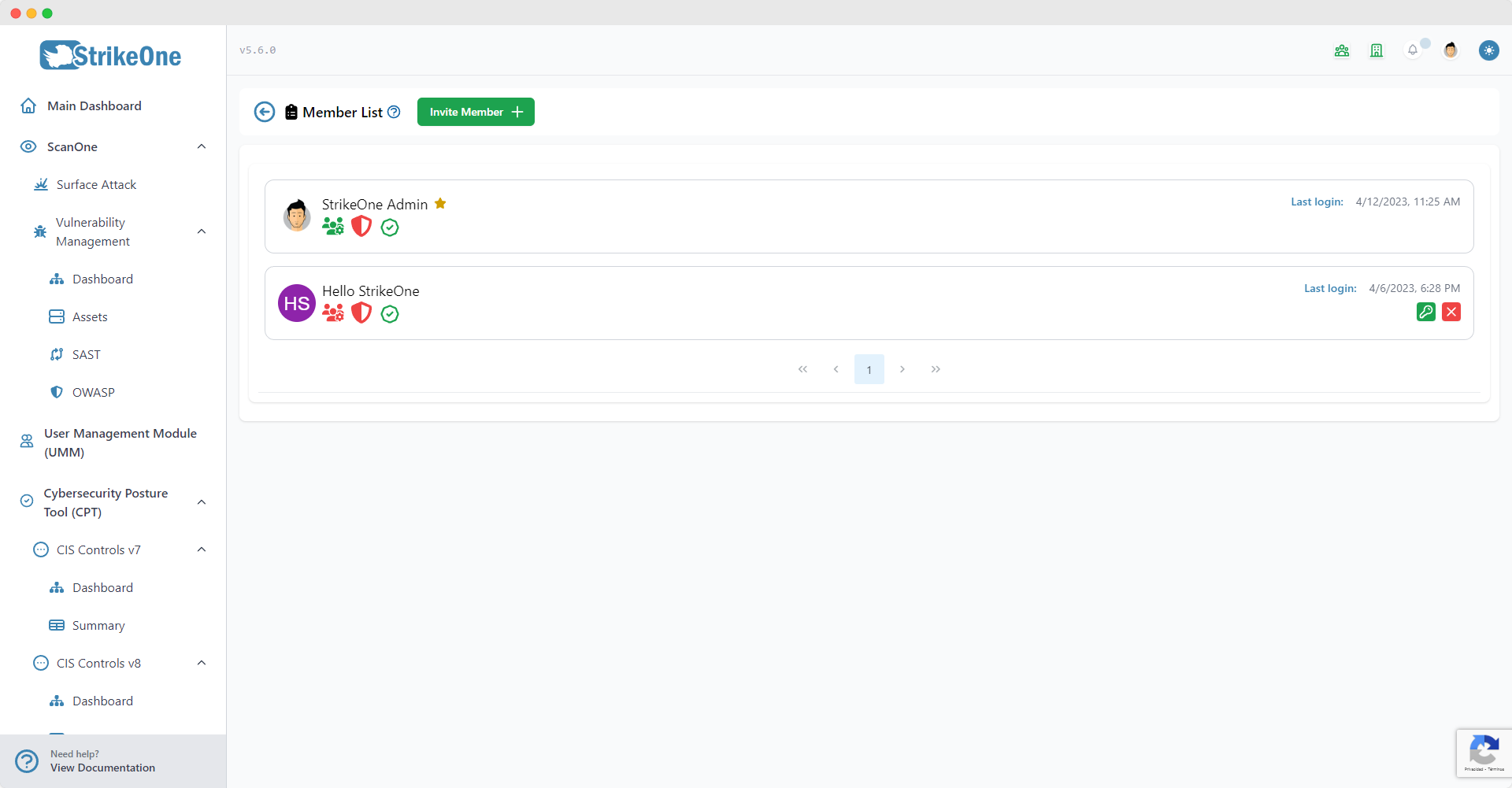
The organization's member list will allow you to invite, remove and manage members. Members with manage members permissions will be able to invite and remove members, while only administrators and owners can manage a member's permissions and modules. Any StrikeOne user can be invited to your organization.
Permissions
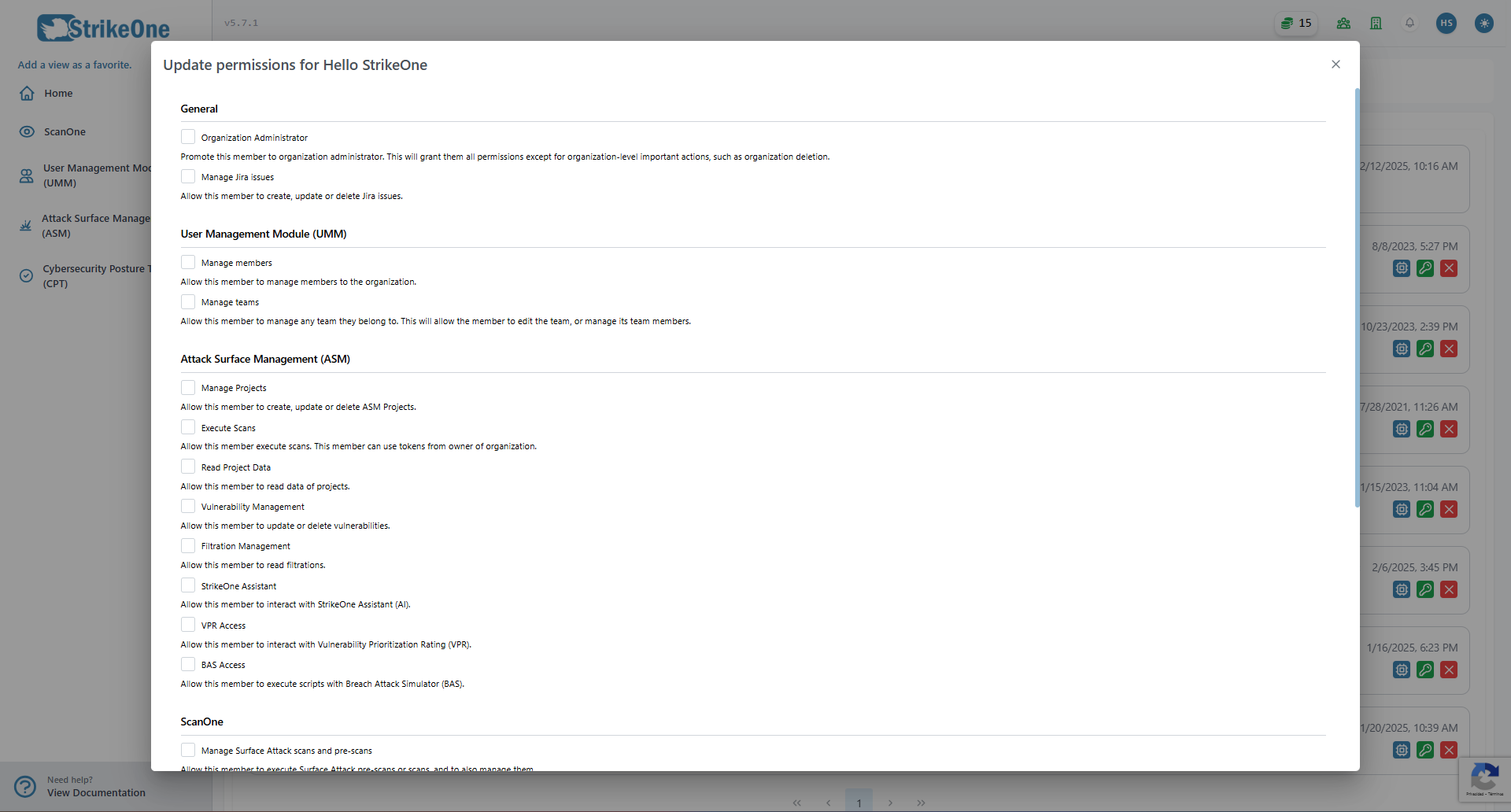
Permissions let administrators and owners establish fine-grained restrictions for their members. Members will always be able to view their current permissions by clicking on the organization icon located on the navigation bar.
Modules
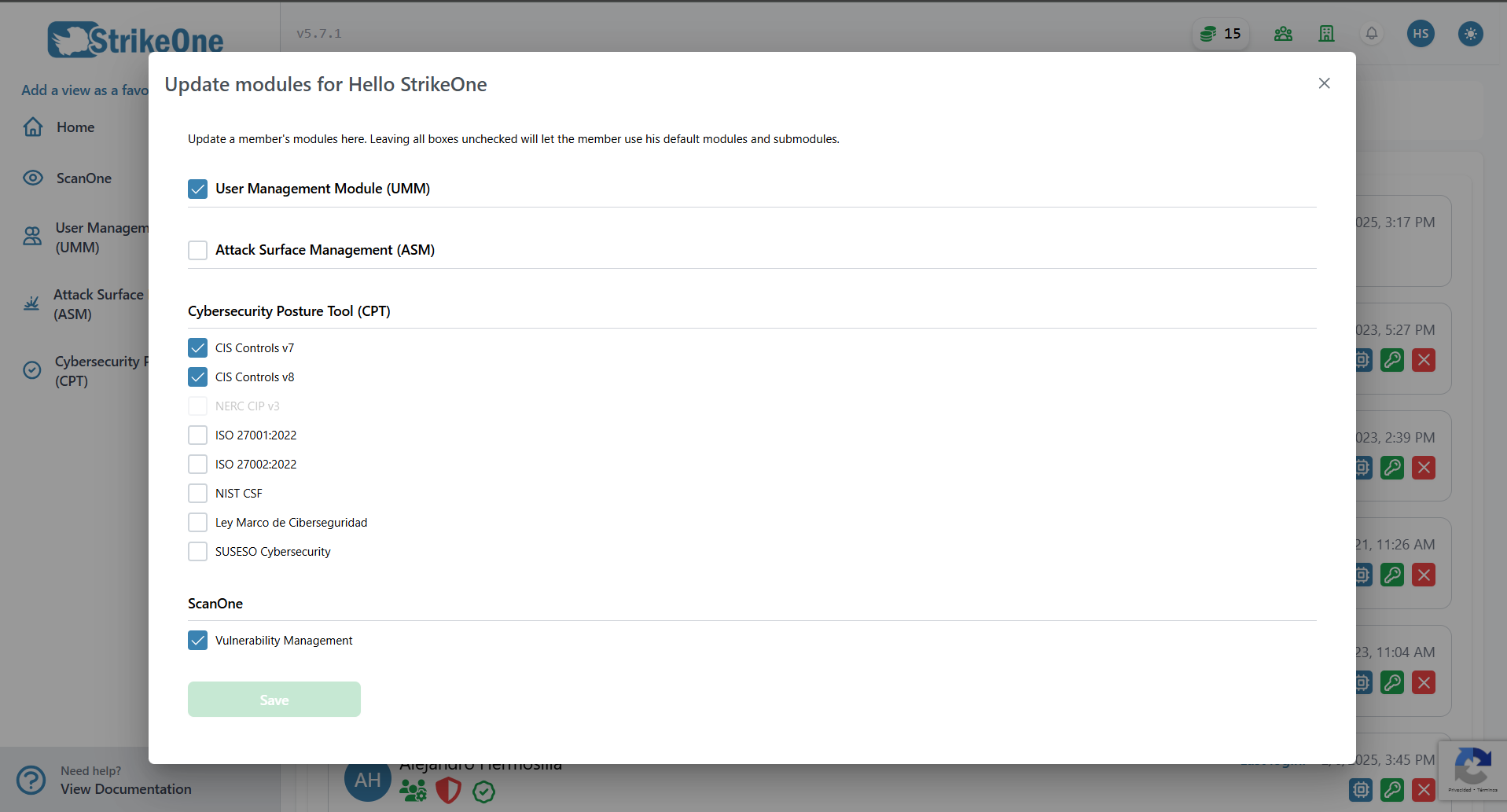
The organization owner may enable or disable the modules or submodules that belong to another organization member. The available list of modules is going to be equivalent to the organization owner's current active modules and submodules. If no modules or submodules are enabled, the organization member will use their default modules and submodules.
IMPORTANT
Editing a member's permissions or modules while they're currently active on StrikeOne will forcefully redirect them to the Main Dashboard.
Teams
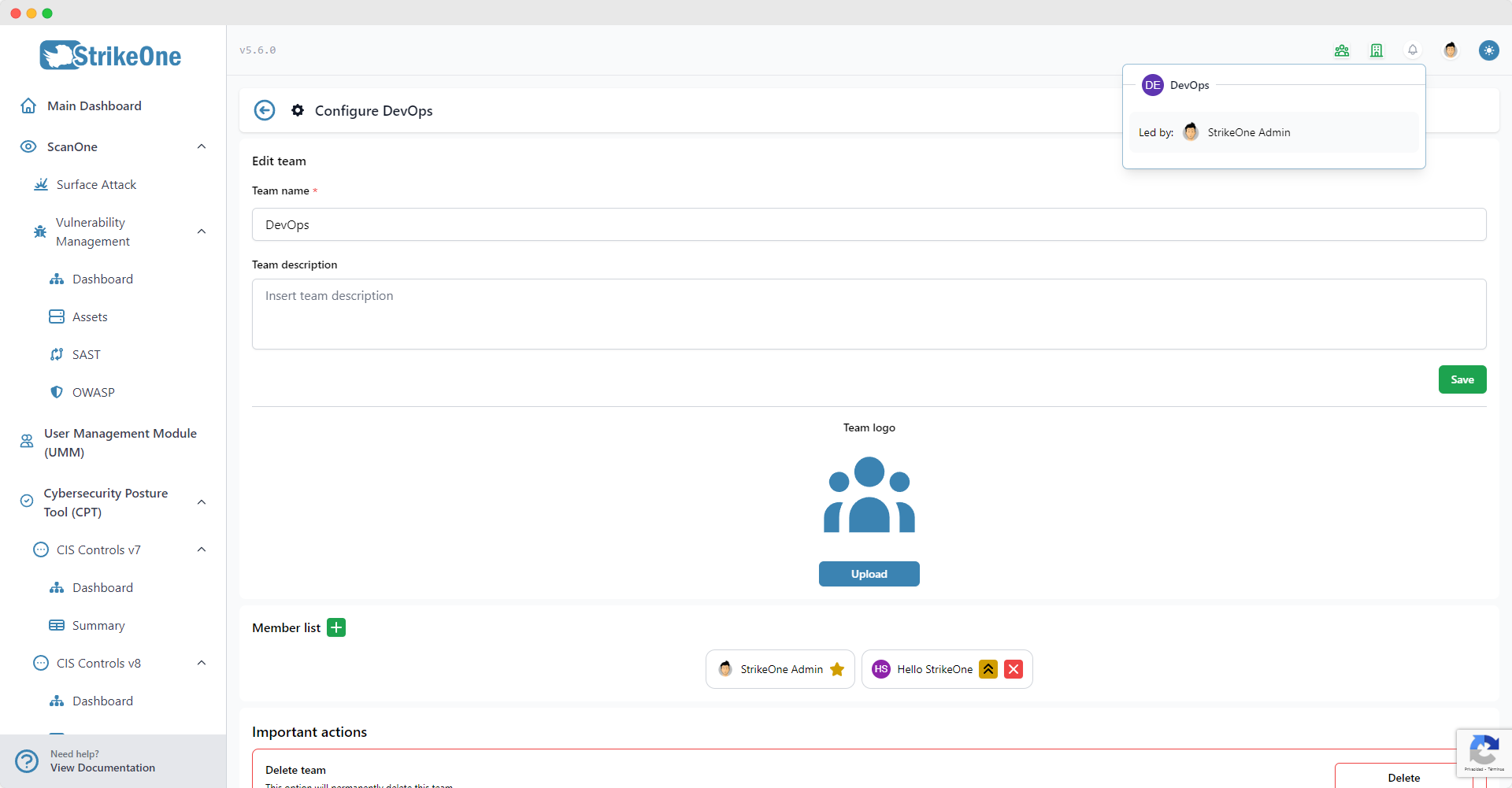
Teams expand the organizational aspect of the User Management Module, and also allow for specific configurations to be shared between team members. Users with manage teams permissions can view a team's configuration view and thus manage their own teams. Team members can also be promoted to team leaders by organization administrators and owners.